 Tessel libraries
Property panels for Tessel apps: the two-column list of labels and values beside a drawing or a model, as in CAD and design programs. Number rows take sums and units ("3 ft" in a field in mm), rows sit in sections that open and close, a search box finds them, and a panel for a selection shows "Mixed" where the selected things differ.
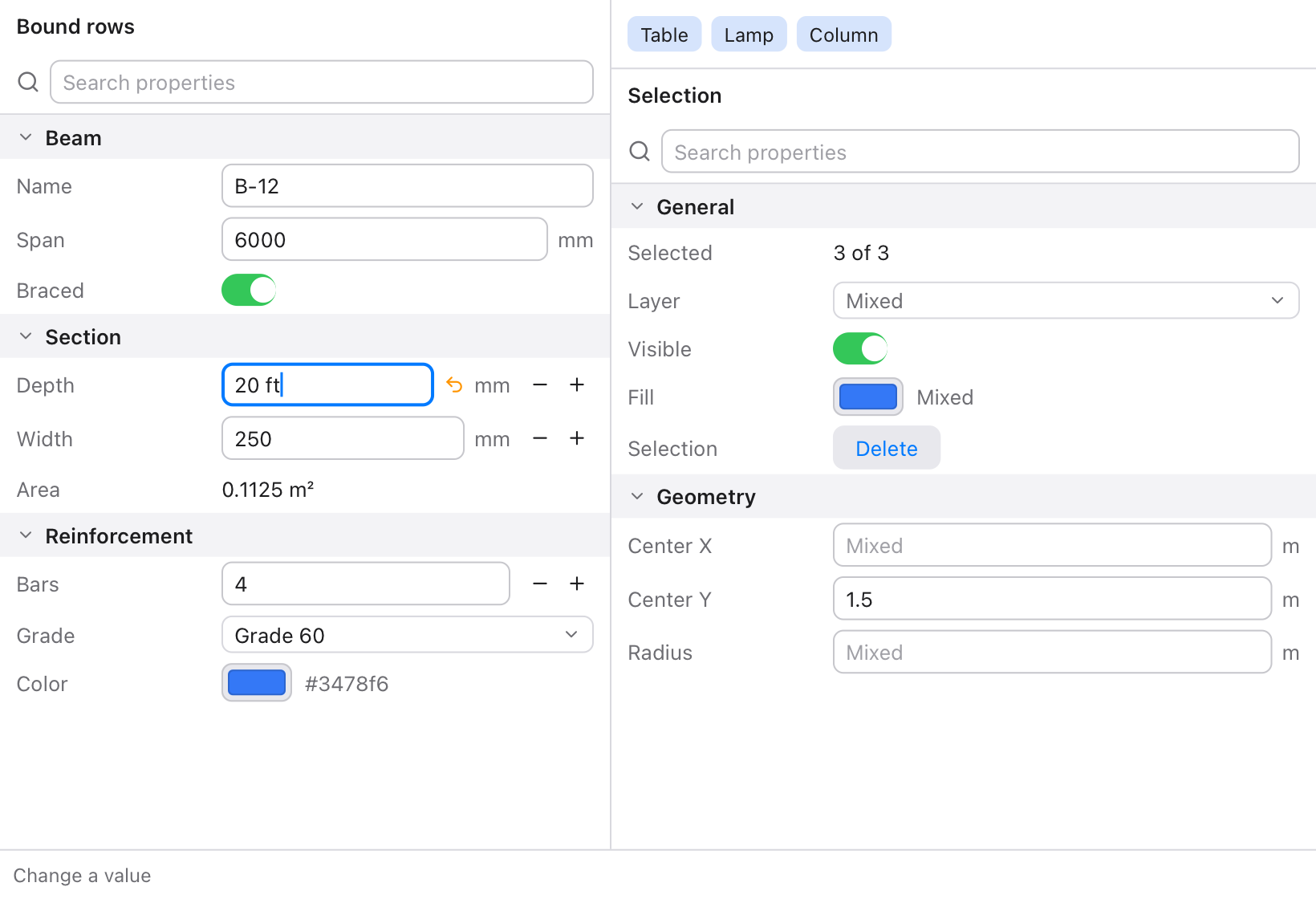
There are two ways to make a panel, which look the same:
- Rows bound to your values, for a panel that's always the same, like the settings of a beam. Each row edits one value directly.
- An
Inspectorbuilt from a list of properties, for a panel that changes with what's selected. Each change comes back to one function, with the property's key and its new value.
import inspector

struct Beam {
    span: Float = 6000.0
    depth: Float = 450.0
    grade: String = "Grade 60"
    braced: Bool = true
}

app BeamPanel(width: 380, height: 220) {
    state beam = Beam()

    inspector.Section("Beam") {
        inspector.NumberRow("Span", value: beam.span, unit: "mm", decimals: 0, min: 0.0)
        inspector.NumberRow("Depth", value: beam.depth, unit: "mm", decimals: 0, step: 25.0)
        inspector.ChoiceRow("Grade", selection: beam.grade, options: ["Grade 40", "Grade 60", "Grade 75"])
        inspector.ToggleRow("Braced", isOn: beam.braced)
    }
}
Typing 20 ft in Span and pressing Enter makes beam.span 6096.
Using it
Add it to a project (Tessel 0.10 or later):
tessel add inspector
then import inspector. tessel run examples in the library's folder
opens the app in the picture.
Number fields
What's typed in a number field is applied when Enter is pressed. It can be:
| Typed | In a field in | Gives |
|---|---|---|
2*3.5 + 1 |
anything | 8 |
3 ft |
mm | 914.4 |
5'6" or 5 ft 6 in |
in | 66 |
1 m + 50 |
mm | 1050 (a plain number is in the field's unit) |
100 psi |
kPa | 689.48 |
12 kN/m |
N/mm | 12 |
68 °F |
°C | 20 |
sqrt(16 m²) |
m | 4 |
asin(0.5) |
deg | 30 |
+ - * / ^and brackets work, and so do×,·,÷and−. Functions:sqrt abs round sin cos tan asin acos atan ln log exp, andpi.sin,cosandtantake degrees, as in CAD programs, or an angle with its unit (sin(0.5 rad)).- A unit belongs to the number just before it:
pi/2 radispi / (2 rad), so write(pi/2) rad. - Something wrong is shown under the field in red, like
this field takes a length (mm), not a mass, and the value doesn't change. - Until Enter is pressed, an arrow beside the field shows that what's typed isn't applied yet. Clicking it goes back to the value. (Tessel 0.10 tells a library only about Enter, not about each key or a click elsewhere, so a field can't apply itself when it's left.)
minandmaxkeep the value in bounds. Dragging the label sideways changes the value: astepper point, or about a hundredth of the value with no step. With astep, − and + buttons change it by one step.inspector.evaluate(text, unit:)gives what a field would read, for fields of your own, andinspector.formatNumber(x, decimals:)shows a number as the rows do:2.5,300,0.125.
Units
| Kind | Units |
|---|---|
| Length | m km cm mm um µm in ft yd mi nmi, and ' " for feet and inches |
| Area, volume | any length squared or cubed (m², ft^2, mm2, m³), ha acre L l mL gal |
| Mass | kg g mg t tonne lb oz slug |
| Time | s ms min h hr day |
| Force | N kN MN lbf kip kgf tf |
| Pressure, stress | Pa kPa MPa GPa bar mbar atm psi ksi psf ksf mmHg |
| Energy, power | J kJ MJ Wh kWh cal kcal BTU, W kW MW hp |
| Flow, speed | cfs gpm MGD, mph knot kph, and any combination like m³/s, L/s, km/h |
| Angle | rad deg ° rev |
| Temperature | K °C degC C °F degF F |
| Other | Hz % ppm |
Units combine with ·, *, / and powers: kN·m, kN/m², m^3/s.
A field's unit can be any of these. A unit inspector doesn't know
("blows/ft") is only shown, and the field takes plain numbers. A
temperature in °C or °F is converted on its own, but can't be added to
or multiplied.
Rows bound to your values
Each row takes its label first, then what it edits. onChange runs after
the row changes the value, and is usually the block after the call.
| Row | Edits |
|---|---|
NumberRow(label, value:, unit:, decimals:, min:, max:, step:) |
A Float. decimals is the most shown (4 unless you say). |
IntegerRow(label, value:, unit:, min:, max:, step:) |
An Int. What's typed is rounded. |
TextRow(label, text:) |
A String, applied with Enter. |
ToggleRow(label, isOn:) |
A Bool, with a switch. |
ChoiceRow(label, selection:, options:) |
A String, one of options, picked from a list that opens on a click. |
ColorRow(label, color:) |
A Color, from Tessel's palette. |
InfoRow(label, value) |
Nothing: shows a value, like a result. |
ButtonRow(label, title) { … } |
Nothing: a button. |
Section(title, expanded:) { … } |
A heading that opens and closes the rows in it. |
SearchBox(text:) |
A search field. |
Every row also takes readOnly:, labelWidth: (120 unless you say),
help: (shown when the mouse rests on the label) and filter:. Give the
rows a SearchBox's text as their filter, and only the rows whose label
has it show:
state query = ""

inspector.SearchBox(text: query)
inspector.Section("Section") {
    inspector.NumberRow("Depth", value: beam.depth, unit: "mm", filter: query)
    inspector.NumberRow("Width", value: beam.width, unit: "mm", filter: query)
}
(A Section stays when none of its rows match. The Inspector hides
groups with nothing to show.)
An Inspector built from properties
Inspector(properties:, title:, search:, labelWidth:, emptyText:) { key, value in … }
shows a list of properties under a heading for each group, with a search
box over them that matches labels and group names. It scrolls when it's
taller than its space. Make the properties from your data each time the
view is built; a change calls the block with the property's key and its
new Value, and once your data changes, the panel shows it.
| Property | Comes back as |
|---|---|
inspector.number(key, label, value, unit:, decimals:, min:, max:, step:) |
.number(x) |
inspector.integer(key, label, value, unit:, min:, max:, step:) |
.number(x), a whole number |
inspector.text(key, label, value) |
.text(s) |
inspector.toggle(key, label, on) |
.toggle(on) |
inspector.choice(key, label, value, options) |
.text(option) |
inspector.color(key, label, color) |
.color(c) |
inspector.info(key, label, value) |
(read only) |
inspector.action(key, label, title) |
.pressed |
Each also takes group:, readOnly:, mixed: and help:. With
mixed: true, the row shows "Mixed" instead of the value: for a selection
whose things differ there. A value typed or picked in a mixed row comes
back as usual, for you to give to all of them.
inspector.Inspector(properties: [
    inspector.info("count", "Selected", "{picked.count} shapes", group: "General"),
    inspector.choice("layer", "Layer", first.layer, layers, group: "General", mixed: !sameLayer),
    inspector.number("r", "Radius", first.radius, unit: "m", min: 0.0, group: "Geometry", mixed: !sameRadius),
    inspector.action("delete", "Selection", "Delete", group: "General"),
]) { key, value in
    match value {
        .number(x) -> { for k in selected { if key == "r" { shapes[k].radius = x } } }
        .text(s) -> { for k in selected { if key == "layer" { shapes[k].layer = s } } }
        .pressed -> deleteSelected()
        _ -> {}
    }
}
The whole example, with a selection of shapes, is examples/main.tsl.
Light and dark
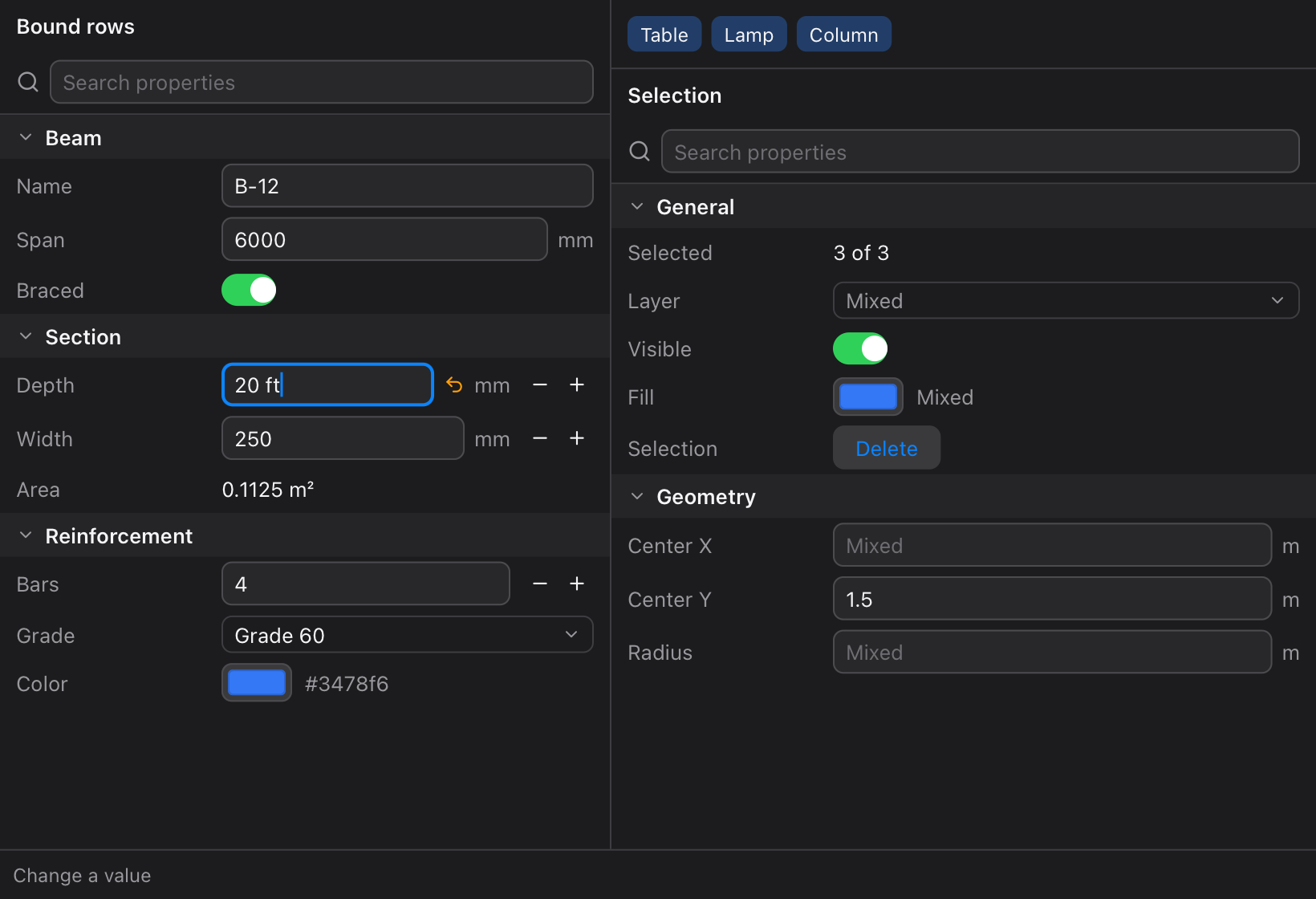
The panels use Tessel's adaptive colors, so they follow the system's appearance:
Tests
tessel run tests     # what number fields read, against values worked out in Python
sh tests/ui.sh       # the example app driven without a window: 34 checks
tests/ui.sh types, clicks, drags and searches in the example app with a
TESSEL_SCRIPT, and checks the rows afterwards: units converted, bounds
kept, mistakes shown, choices, switches, colors, search, sections, and
the Inspector's mixed values.
What's where
| File | |
|---|---|
rows.tsl |
The rows, Section, SearchBox, and the views that draw each kind of row. |
inspector.tsl |
Inspector, Property, Kind, Value, and number, choice and the other property makers. |
expr.tsl |
evaluate and formatNumber: what's typed in a number field. |
units.tsl |
The units and their dimensions. |
examples/main.tsl |
The app in the pictures. |
tests/ |
The tests. |
Licence
MIT: see LICENSE.